Matthew Helmke (dot) Net

Random things that interest me.

An interview with Michael.Godawski

February26

Michael.Godawski is a great example of what makes the Ubuntu Forums so special. This is why I chose him for the next installment in our Ubuntu Community Interviews series. Michael started in the forums and in the Ubuntu community as a Linux novice and has progressed to being a consistently helpful contributing member, assisting new users with their problems and being a positive example of kindness and gentleness, combined with competence. It is people like Michael who make the overall Ubuntu community so welcoming to newcomers. He also is a great representation of the international nature of our forums and our overall Ubuntu community.

  1. Tell as much as you’re willing about your “real life” like name, age, gender, location, family, religion, profession, education, hobbies, etc.
    My name is Michael Godawski, at the moment I am 23 years young. I was born in the beautiful Cracow in Poland. Today I live in Düsseldorf, Germany studying history of art and sociology. Not the typical studies for a “geeky” Linux user you say. And you are right.I am everything but a computer zealot. For me they are just machines, dead boxes full of weird stuff in it like cables, microchips, and who knows what…

    But you can do fantastic things with them. And you meet wonderful people with the help of them. Suddenly you are talking to people from the other hemisphere which is a great thing. They (the computers) become an inextricable part of our daily life so it stands to reason to get to know each other better. Nothing more but nothing less.

    What can I tell you more? I do some Aikido when I am not playing piano; when I am not on the mat, nor at the piano I visit the website you might know from hearsay – ubuntuforums.org.

    I like to read. I hate to read from digital displays.

    I like to travel, as far as my pathetic income of a student allows me to.

    I like to compose new music pieces. I hate superficial people.

    I like writing. I also like to throw my writings into the trash and don’t fuss about it.

  2. When and how did you become interested in computers? in Linux? in Ubuntu?
    The first contact with “computers” was an ancient Atari 2600. I remember playing some really cool “games” on it like a flight-simulation, during which you had to destroy the adversarial plane – a simple moving dot. T’was cool, your imagination power was really tested to the maximum.After the Atari the big blur begins: blue dos screen was omnipresent for a long time. Then an ultra-fast Pentium 75 entered my life and with it Windows 3.11. Then came a Super Nintendo: again classics like Zelda, Secret of Mana, of Evermore, R-Type, Pilotwings enter my mind….

    Where is Linux you ask? Well, my first Linux experience was an epic fail. I installed Red Hat something on my PC and literally nothing has worked. Perhaps I was too young or the machine was too dumb, I don’t know, it was not the right time I guess.

    So I sticked with Mr.Gates for a while. And who knows if I had ever changed to Ubuntu if Windows would fulfill all my needs… But stop… I am strongly against bashing an OS as the inferior one. That’s a moot point. Every single OS has it right to exist and should act as an inspiration to make things better than they already are.

    So Windows was not a product of the Satan for me, you could play nice games on it and so on… but something was missing.

    And that something I think I have found in Ubuntu. Don’t ask me to specify this something. I guess it is not the juxtaposition but the blending of the digital with the natural, the tradition with the future, the machines with the people. Whoa we are getting far to philosophic here…

  3. When did you become involved in the forums (or the Ubuntu community)? What’s your role there?
    I joined the ubuntuforums.org during a star-spangled night in 2007. Forgot the month.
    My nick was janquark.

    Then came a break. Real life took over. Taught me some things.

    Comeback to the forums with my real name somewhere in 2008.

    My role on the forums? I help where I can. Be it as a member of the Beginners Team and Unanswered Team or like writing guides and tutorials on my website – http://ubunturesources.ub.ohost.de

    I have no specific role. And I do not want to be put into one category.

  4. Are you an Ubuntu member? If so, how do you contribute? If not, do you plan on becoming one?
    Yes, I am. Just recently approved.
  5. What distros do you regularly use? What software? What’s your favorite application? Your least favorite?
    Favorite distribution? You bet it’s Ubuntu. Favorite software? Bluefish, VLC, Rhytmbox, OO, FF3, Gimp, gFTP, Transmission, sun xVM Virtual Box, pretty un-exotic list… but it works for me. Perhaps I will test some distribution in the future who knows, I do not feel like jumping to others now.
  6. What’s your fondest memory from the forums, or from Ubuntu overall? What’s your worst?
    Let me say this. Honestly… if the time I spend on the forums be it as a helper, be it as the one with the question, would only slightly be somewhat an awkward, displeasing and annoying experience I would quit immediately. But it is not. Every time I log in I have fun. Sometimes the breaks between the logins are shorter sometimes they are longer. But I cannot point out a specific time when I felt especially happy or especially annoyed. It is rather a constant feeling of having a good time…
  7. What luck have you had introducing new computer users to Ubuntu?
    “Oh… wow.. what is that? Is this Linux? Windows was not good enough for you he?”“I want to have this 3D Desktop too? But will it be difficult and complicated?”

    “You are using the console? Man…DOS – times are the past.”

    “You are on Linux? Well, yes then you don’t have that much trouble as I have on my §$%& Windows PC.”

    Only a sample of real-life quotations. I did not have many success stories of converting PC users to Ubuntu. But I could destroy some of the old prejudices and clichés. I especially like when people do not notice what OS I am using but what results I present them with it.

  8. What would you like to see happen with Linux in the future? with Ubuntu?
    I want Ubuntu to become a truly worth-mentioning alternative for the average computer user. I especially stress the average in the sentence above.
  9. If there was one thing you could tell all new Ubuntu users, what would it be?
    As my ubuntuforums.org title already says: It is only a machine.It is much more important to spend some time with your family, playing an instrument, doing some sport, traveling the world, reading a book, writing, painting, or just going out with your friends, than staring at a square display of a computer.

    In this spirit I hope I have not bored you to death and you know me a little better than before.

    Michael Godawski
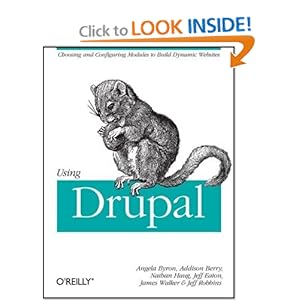
Using Drupal

February24

I have read a lot of Drupal books as well as online materials. This particular book is one I was looking forward to for a long time. It was just released in December 2008 and is from O’Reilly Press. I have never made it a secret that I find O’Reilly’s books to be consistently good, and usually the best in any category in which they have offerings available. This book lived up to my expectations.

Using Drupal is easily the best book I have read so far for helping a person who knows nothing about the content management system (but who has a base familiarity with web hosting) figure out how the software works, how to add and configure features, and how to make powerful and useful web sites.

The book begins with a very clear, yet detailed introduction to Drupal; what it is, how it works, and the history behind how the project was conceived and the evolution of web site development over the years. It then continues with a long chapter that gives a crash course in each of the unique aspects of the Drupal system: content management, modules, access control, roles and permissions, taxonomy, theming and more are introduced with clear and useful examples.

After this is where the book steps out of the crowd and into a league of its own. Starting with chapter three we are served a series of well written chapters, each describing how to use a specific module or set of modules to do something wonderful with Drupal that is useful, interesting, and powerful. We learn how to use the Content Construction Kit (CCK) module with the Views module to build useful forms for displaying data in a way that is appealing and easily understood by site visitors. We are shown how to create multilingual sites, sites with product reviews, an internal wiki for group collaboration, an online store, and much more. All have clear descriptions of the process, the options available, and great examples.

One of my favorite chapters is number six, which discusses managing workflow. Perhaps you have a busy site with lots of contributors and a few people who are ultimately responsible for posting the created content after it is reviewed. This chapter describes how to make this process much more efficient than I would have done it originally by using actions and triggers with the Workflow module to have newly created content automatically enter an approval queue while notifying the editor responsible about its existence and still allowing the original user access to modify the content while it waits for approval. This allows you to see content in various states, perhaps approve or simply make notes on it, and not waste your reviewer’s time forcing them to check whether content is waiting for review or not by giving them automatic notifications (which may be configured many ways). That is a great idea that I would not have thought of or figured out by myself, and it is just one of the well thought out and elegant designs this book presents.

I still have one more Drupal book en route, and another that I want to buy. If I think they are worth sharing, I’ll post a review of each of them in the coming weeks.

Intellectual Property and Open Source

February18

I took a trip this last week, one that involved several hours of airplane travel each way. I took along a book that I just picked up that looked interesting. If you are like me, you have heard about and read through some of the philosophical foundations of software licensing, copyright law, and intellectual property, but sometimes it all seems so complicated that you aren’t really sure how it all fits together. Patents, copyright, trademarks and trade secrets, licenses and contracts all seem to overlap at times making a sort of intellectual property law soup that can be hard to digest. That is precisely why I picked up Van Lindberg’s Intellectual Property and Open Source: A Practical Guide to Protecting Code.

Now, I have read books by Lawrence Lessig and the writings of people like Richard Stallman and Eric Raymond. I am on board with the idea of making information, including program code, as free and accessible as possible. What has not been clear to me is the legal aspects. When is it possible to use GPL licensed code in a project? Which licenses have the greatest affect on the freedom of the code and in which ways? How is this different from software patents and why do these patents even exist? This is the tip of the IP iceberg.

This book was written by someone who works as a liaison between engineers and lawyers, translating for each side to the other. If this book is any indication, I bet he is quite good at his job. The information he presents is incredibly clear. While it is not intended as a substitute for legal advice from a lawyer who understands the specifics of the law in your locale, it is intended to give you an understanding of what the issues are, the definitions of and affects of patents, copyright, trademarks and trade secrets, and more, and I walked away after reading it feeling like I have a base understanding of the issues that is a lot deeper and clearer than I had before.

The book begins by giving a bit of history regarding the economic and legal foundations of intellectual property law. It continues from here into very specific discussions of each part, including the history and arguments leading up to why we have the laws we have today. Once the foundation is understood, it becomes more obvious how we arrived at our current (and rather messy) state of affairs.

The last third to half of the book focuses directly on open source software licensing. The book includes a discussion of the similarities and differences in perspective between the Open Source and the Free Software movements, the specifics of each of the main software licenses in use today and how they have and have not been tested in the legal system, gives advice for programmers and intellectual property creators who are also employees of a company to help them interact in good faith with their employers in the hope of preventing problems, and even such interesting legal areas as reverse engineering.

The book does not focus on the philosophy behind why someone would want to us a free or open license for their work. If that is what you are looking for, look elsewhere. However, if the specific legal issues interest you, but you don’t understand legalese, I don’t think I have seen a better text. I think it would be appreciated by a lawyer, a programmer, a project supervisor, or anyone who just wants to try to make sense of the topic.

Drupal Multimedia

February10

Anyone following this blog for a while will notice that I have been reading a lot of Drupal books recently. I have a big project that I am working on for someone, and I want to do a good job for them. While I run Drupal on matthewhelmke.com, it is a very simple implementation solely to list my recently published work. I also ran Drupal on a site for my business, but that has since closed.

Anyway, this new site has and will incorporate some features that are new to me. Some are being carried over from an older version of the website that someone else created, and others are completely new to the site. Several involve media, both audio and video.

In the past, I have embedded photo galleries into Drupal installations, especially using Gallery2, and I have had fun figuring out how to embed non-photo media formats into gallery software like Coppermine. That was back in the days when Drupal 4 was currently supported, so after some searching, I decided it would be more fun to figure out everything using Drupal 6 and contributed modules, without making major modifications to massage in other software.

I started reading the main Drupal website, scouring the list of current modules for version 6. There is a lot of great stuff there, almost too much to sift through. I saw that the publisher of the Drupal 6 book and Drupal 6 Themes book that I had read also had one on multimedia, so I picked it up. I’m still looking at other Drupal books, too, including one that isn’t yet published but is being written by a fellow Ubuntu member, Emma Hogbin. If any seem worth mentioning once I read them, I’ll certainly give them a shout out later.

Okay, on to the book I’ve just finished reading, Drupal Multimedia.

Like the other two Drupal books I have read by this publisher, this book is relatively short, coming in at about 240 pages. It is also focused on only one part of using Drupal, which means that you don’t have to sift through a lot of information you are not going to use. This is definitely not a basic, “here’s how to install and get started easily” sort of text, but more of a precise guide to using Drupal to serve various forms of media files in a way that can be styled easily to fit in with your overall site theme, and that does not require the use of non-Drupal software or modules. In other words, my initial thought was that this book would be exactly what I needed for this phase of my current project.

The book assumes the reader is capable of installing Drupal on a server and assumes you have a base installation up and running perfectly before beginning. It then starts with a quick introduction to the building blocks of Drupal: nodes, regions and blocks, themes, and modules. It discusses how to use CCK to create custom content types and fields, views to set up how they will be displayed, and breezes through the important parts of theming these additions to match the overall look and feel of your site. That is all in chapter one.

The next several chapters are filled with easy to use plans for installing and configuring various modules to deal with images, galleries, thumbnails, slideshows, audio and video. The author quite clearly describes how to get each of these media to fit in and work with your site, exactly how you would like it to work.

I am still in the planning stage of this particular site’s upgrade. This was a good time to read through this book, because it gives me a chance to quickly and easily figure out what I can do for this project, without needing extra time for research or requiring big modifications, and enables me to discuss it intelligently and confidently with those making the decisions. If you have a similar project, the book is worth a look.

Now, if anyone knows how to run iTunes on Linux so that I can begin working on the details of making a podcast feed (from the Drupal Audio module) available in iTunes, I would be grateful. This is to fulfill a special request from the site owner, and I’ve figured out the feed from the Audio module, but without a way to run iTunes, I can’t test it without borrowing someone else’s computer, and that’s not a good thing. I will, but I really don’t want to do a virtual OS installation just for this (and pay for the licensing of a proprietary OS I won’t use for anything else).

The Principles of Successful Freelancing

February6

In the past, I have worked for others. More recently, I have run my own business. A few months ago, I closed that business and moved back to the U.S.A. and am currently doing a little bit of freelance work, writing mostly, just until I begin my grad school program.

My experience with freelancing has been mixed, primarily because I have discovered that I have some gaps in my knowledge.

To see if I could get some help, I picked up this book, The Principles of Successful Freelancing. While the book is focused on working as a website designer, the main principles should apply to most fields. That is good. I have done some website design, but the bulk of my freelance work has been writing for books and magazines, or consulting.

I have enjoyed reading this book. In short, the content is about 20% pep talk, 20% reality check, with the remaining 60% being great advice and useful information.

Obviously, no book will ensure that anyone will be a success at freelancing, but I could have used the information in this book a long time ago, before I started my last business. That business was successful, but I would have benefited greatly from the insights in this book, and in retrospect, I would have done several things differently.

The Principles of Successful Freelancing gives great advice about what is really needed to be successful working for yourself. It starts by having you ask yourself the right questions to determine your attitude, your capabilities, and to make sure your perspective and expectations of the process are realistic. It then moves into practical steps of preparing for the transition from employee to self-employed, managing your finances, preparing your work space, finding and keeping clients, and so on. It even has a great chapter about learning how to find and maintain a healthy work and life balance as well as advice for making the transition in reverse, if you find this isn’t the life for you.

At my current stage of life, I don’t expect freelance work to be much more than a side project. That doesn’t mean I will never go back to working for myself, or starting a business with a partner or two, but for the moment I am content to do a bit of writing here and there to earn some extra income and prepare to do something else as my main source of money. This book has many good tips for freelancing part time as well, and has been well worth the time I spent reading it.